Businesses often attribute poor lead generation to simple causes like website design or ad spend, but the deeper issue is typically a combination of small gaps across the entire marketing system. Visitors may reach a website and leave quickly when messaging, trust signals, or calls to action fall short.
Effective lead generation requires alignment across websites, ads, branding, content, and follow-up processes. When these elements work together as a unified system, businesses are better positioned to convert online attention into measurable results.
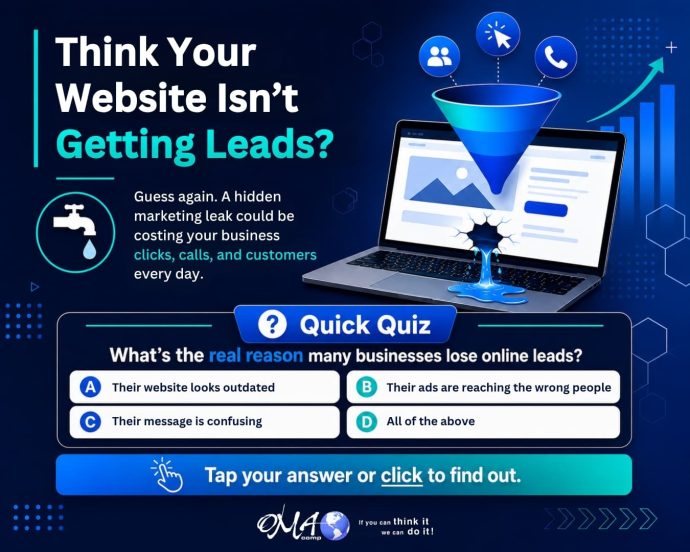
Many business owners assume that if they are not getting enough leads, the problem must be simple.
- Maybe the website needs a new look.
- Maybe the ads need more money.
- Maybe people are not ready to buy.
- Maybe the market is slow.
While any of those can play a role, the real issue is often deeper. Most businesses lose online leads because their marketing system has too many small gaps working against them at the same time.
A visitor may click your ad, land on your website, skim the page for a few seconds, and leave without calling. That might feel like a lost opportunity, but it is also valuable information. Something in the process did not give them enough confidence to take the next step.
At OMA Comp, we look at digital marketing as more than just a website, ad campaign, or social media post. We look at the full path a customer takes from first impression to final decision.
The Hidden Lead Leak Most Businesses Miss
The biggest lead problem is not always traffic. It is often conversion.
A business may already be getting people to its website, Facebook page, Google profile, or landing pages. The issue is that those visitors are not turning into calls, form submissions, appointments, or purchases.
That can happen when:
- The message does not clearly explain what the business does.
- The website does not quickly build trust.
- The call to action is hard to find.
- The design looks outdated or cluttered.
- The ads attract clicks from people who are not the right fit.
- The content does not answer the customer’s real questions.
- The business does not show enough proof, reviews, photos, services, or benefits.
- Each issue may seem small on its own. Together, they can quietly reduce your results every day.
Why “Looking Good” Is Not Enough
A good-looking website is important, but design alone does not create leads.
Your website must also communicate clearly. Within seconds, visitors should understand who you help, what you offer, why they should trust you, and what to do next.
If someone has to search too hard for your phone number, service areas, pricing information, contact form, or main services, they may leave and choose a competitor instead.
Strong marketing design is not just about appearance. It is about guiding people toward action.
Your Ads May Be Working Harder Than They Should
Paid ads can bring traffic fast, but they cannot fix a weak website or unclear offer.
If your Google Ads, Facebook Ads, or social media campaigns are sending people to a page that does not convert, you may end up paying for attention without getting enough results.
That is why your ads, landing pages, graphics, copy, and calls to action need to work together.
A strong marketing system connects every piece:
- The ad catches attention.
- The message creates interest.
- The landing page builds trust.
- The call to action makes the next step easy.
- The follow-up turns the lead into a customer.
- When one piece is weak, the whole system suffers.
Clear messaging makes your business easier to understand and easier to trust.
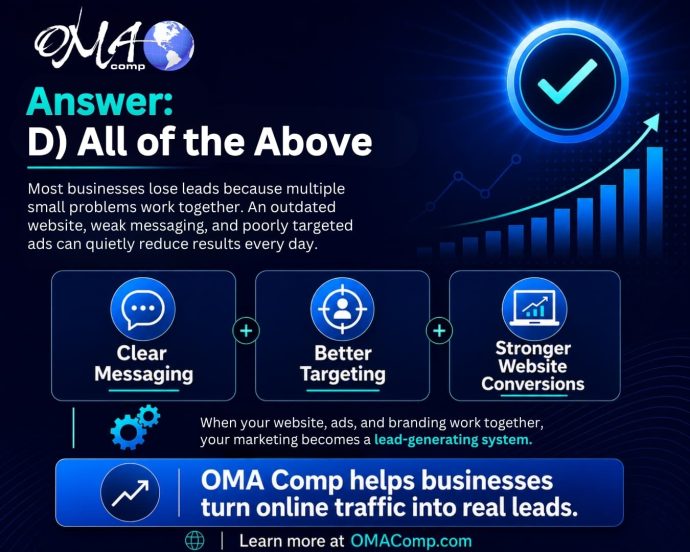
The Real Answer: Your Marketing Needs to Work as a System
The correct quiz answer is D) All of the above because lead generation is rarely about one isolated issue.
Clear Messaging Builds Confidence
Customers do not want to work hard to figure out why they should choose you.
They want clear answers.
- What do you offer?
- Who do you help?
- What problem do you solve?
- Why are you different?
- How do they get started?
If your marketing does not answer those questions quickly, visitors may hesitate. Hesitation often leads to lost leads.
A successful online presence includes:
- A professional website
- Strong branding
- Clear service pages
- Local SEO
- Google Business Profile optimization
- Paid advertising
- Social media content
- Lead-focused graphics
- Trust-building copy
- Conversion-friendly calls to action
- Consistent follow-up
When these pieces are aligned, your business has a much better chance of turning online attention into real opportunities.
How OMA Comp Helps Businesses Capture More Leads
OMA Comp helps businesses improve their digital presence by looking at the full marketing picture. Instead of focusing on one piece alone, we help create stronger websites, better content, more effective advertising, cleaner design, and clearer messaging.
The goal is simple: help more of the right people find your business, understand your value, and take action.
Whether your website needs improvement, your ads need better direction, your content needs a stronger message, or your overall marketing needs a more strategic plan, OMA Comp can help build a system that works harder for your business.
Final Takeaway
If your business is getting traffic but not enough leads, the problem may not be one obvious issue.
It may be a hidden lead leak caused by unclear messaging, weak design, poor targeting, low trust, or an incomplete marketing system.
The good news is that those problems can be fixed.
When your website, ads, branding, content, and strategy work together, your marketing becomes more than just online activity. It becomes a lead-generating system built to support real business growth.